Try import in-place: https://xenodium.com/flat-habits-v101-org-import-menu
back
1 comments
Aha! I tried the export menu didn't look at the import option
Nice one :)
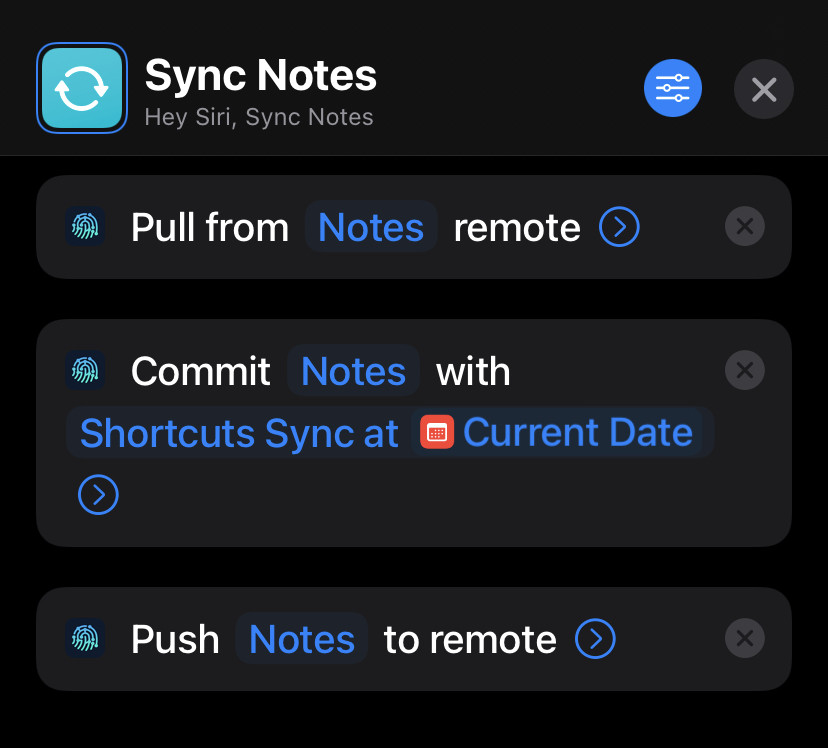
For the sake of sharing I'm looking at setting it up the same as my Obsidian dir from here. Get it all chucked into git using the synced dir option in Working Copy, and a pair of Shortcuts to resync the git repo whenever I open/close the app (just the on close one if it doesn't play nicely with the file changing after opening the app)
e.g. https://img.imgy.org/rAxr.jpg plus a shortcut triggered by app close to run this shortcut